UConnect 5 - 12.3" Touchscreen

If you get the subscription for the Uconnect app, does it also allow you to use it for the Trails Offroad mobile app on your phone?
Yes, if you link them. My account is accessed on my phone app, their website and the Jeep.
 
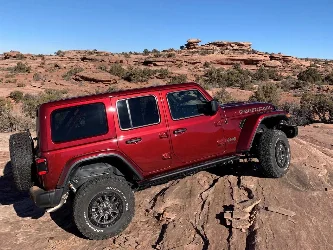
Mine did get fixed and working. Just used it all last month in Moab. I ultimately had to have the dealership install the latest Unconnect version and it finally fixed my issue.

The Trail Recordings along with Adventure Guides I like. I signed up for the $40 subscription to Trails Off Road, since its already "baked" into the Jeep. Came in handy in Moab.
View attachment 51736
View attachment 51737
View attachment 51739
What version of Uconnect do you have. The only Option that is not working is the Off-road Pages Icon itself. The other two function correctly. It did take a day after doing a full factory reset for the other two to show up and work. During that time before the showed up, the Off-road pages worked.
 
What version of Uconnect do you have. The only Option that is not working is the Off-road Pages Icon itself. The other two function correctly. It did take a day after doing a full factory reset for the other two to show up and work. During that time before the showed up, the Off-road pages worked.
When I called uConnect back in May (2025) they said it should be U33.43-PROD. I haven't checked lately if its had any OTA updates. I had to take it to the dealership to get it updated though.

At that time, it was on Build Number: FCA-MY24.U29.18-PROD
 
If you get the subscription for the Uconnect app, does it also allow you to use it for the Trails Offroad mobile app on your phone?
I have been reading through is thread and have experienced these same issues with the Uconnect. I would have gauges that would disappear, menu's on the vehicle screen that would not work. Options that should be there gone and so on. I tried a number of reset but here is what finally fixed it.

This might be considered the Nuclear approach but it works and clears out anything that might be corrupted.

Here we go: 2 Soft Resets back to back,using the volume depress and hold until screen goes black then comes back on, do the same thing again.
Next: Once radio is back online press and hold volume/power and tuner knobs for about 10-15 seconds, the screen will go black and then display the Uconnect logo until it does a hard reset.

Finally: Go to the Vehicle, setting page and select factory reset. Word of warning you will have to re-setup your uconnect system including a resend of you Sirius activation and re linking your phone. Give your radio about 15 minutes to re-stabilize and it's everything should be working.

I have yet to figure out how to get the radio in the Dealer mode like the earlier pre-24 Uconnect radio, I'm sure there's a way but everything on the web doesn't work and the Dealerships don't seem to know either.
Oh Well, happy resetting!
 
When I called uConnect back in May (2025) they said it should be U33.43-PROD. I haven't checked lately if its had any OTA updates. I had to take it to the dealership to get it updated though.

At that time, it was on Build Number: FCA-MY24.U29.18-PROD
Thank you, I hate to have to take it to the dealer for something like this. I appreciate the response.
 
Mine updated via OTA updates last month I think after requesting a manual software update,
 

Attachments

  • ver.webp
    ver.webp
    39.5 KB · Views: 8
I have this exact problem with my 2024 Jeep 392 with only 167miles on it. Anyone get this figured out? I have done multiple factory resets only to end up with the exact same problem and lost time. I did notice when trying to select the Offroad pages before the Trail Recordings and Adventure Guides installs it works without issue. Once those two icons populate it stops working, when you select it, it will jump to the last page you were on the side bar (i.e. Home menu). 100% software issue. I'm also on Unconnect version: FCQ-MY24.U29.18-PROD. I have seen 44-PROD on some sites, I have Software updates over WIFI selected, no OTA update yet.
All,
Update, after driving around for a few weeks everything started to work, Jeep has also attempted to do multiple FOTA updates (forced over the air update), I see my UConnect trying to update (I have Wi-Fi download on, I also have the Jeep LET subscription and great Wi-Fi at the house), the install attempt never fails, just never updates, I get a loading msg, close the doors, walk away and when I return, nothing. No indication of failure; however, no update to the software version. With that said, everything is working. I'm on version U29.18 PROD.
 
All,
Update, after driving around for a few weeks everything started to work, Jeep has also attempted to do multiple FOTA updates (forced over the air update), I see my UConnect trying to update (I have Wi-Fi download on, I also have the Jeep LET subscription and great Wi-Fi at the house), the install attempt never fails, just never updates, I get a loading msg, close the doors, walk away and when I return, nothing. No indication of failure; however, no update to the software version. With that said, everything is working. I'm on version U29.18 PROD.
I'm glad that it's working. Can the dealer update Uconnect by linking to the OBD port?
 
I'm glad that it's working. Can the dealer update Uconnect by linking to the OBD port?
I believe the UConnect is updated via a USB drive, plugged in to the vehicle (console or radio, I'm not sure which on this particular install). There are contradicting instructions on the FAQ page (see: https://www.driveuconnect.com/faq.html ).

You can look up your vehicle at https://www.driveuconnect.com/support/jeep.html ; near the top, hit SYSTEM UPDATES. You'll need to put in your VIN and see what they say. Worst case, you'll need to schedule a couple of hours at the dealer. /face palm.
 
I believe the UConnect is updated via a USB drive, plugged in to the vehicle (console or radio, I'm not sure which on this particular install). There are contradicting instructions on the FAQ page (see: https://www.driveuconnect.com/faq.html ).

You can look up your vehicle at https://www.driveuconnect.com/support/jeep.html ; near the top, hit SYSTEM UPDATES. You'll need to put in your VIN and see what they say. Worst case, you'll need to schedule a couple of hours at the dealer. /face palm.
When I do this, it says I'm up to date. I know that can't be accurate. I'm on U29-18 PROD
 
When I do this, it says I'm up to date. I know that can't be accurate. I'm on U29-18 PROD

I wonder if it is because of this note on the lookup page?

1000011046.webp


Mine says I'm up to date too, although I got the following notification around 8 times in the past month...

1000010965.webp


I click the 'Update Now' button and the screen just goes blank and Uconnect shuts off.
 
I wonder if it is because of this note on the lookup page?

View attachment 52421

Mine says I'm up to date too, although I got the following notification around 8 times in the past month...

View attachment 52422

I click the 'Update Now' button and the screen just goes blank and Uconnect shuts off.
Next step sounds like the "he who shall not be named"
 

Create an account or login to comment

Join now to leave a comment enjoy browsing the site ad-free!

Create account

Create an account on our community. It's easy!

Log in

Already have an account? Log in here.

Back
Top